
Tables & Chairs 2 DataPack 26.3 / 1.21.11 (Unique Styled Chairs)
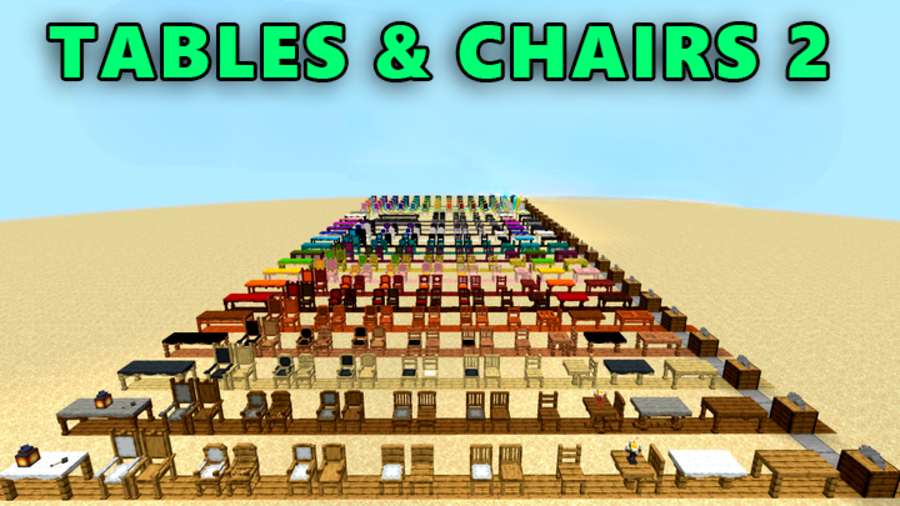
Tables & Chairs 2 DataPack 26.3 is one of the sleekest, most stable, and high-performing furniture datapack. Built on the foundation of Axel’s Tables and Chairs and completely rewritten from scratch by Misterk7_-, this pack leverages the latest datapack features to deliver a seamless, mod-like experience without the lag. This DataPack have been built by the Chuckchuk.
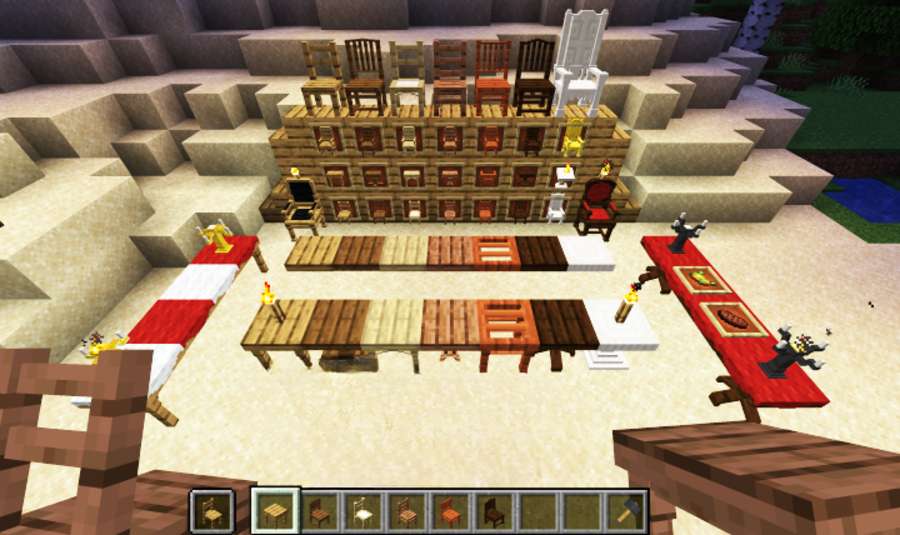
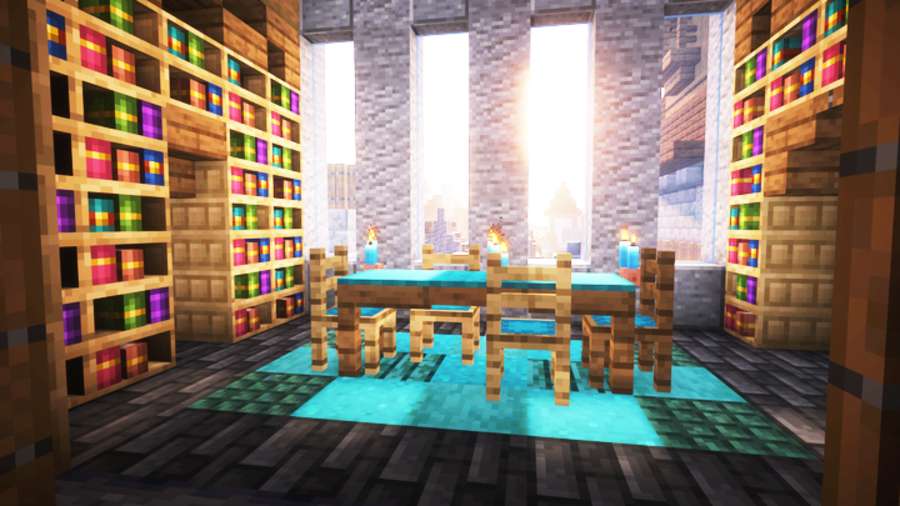
This DataPack will be offering incredible variety, allowing you to tailor every piece to your build. Each design can be crafted using any wood type from oak and acacia to mangrove and customized further with all 16 colors of carpet for the seating area. For an extra touch of flair, the special carved variant features a completely unique 3D model specific to whichever wood material you choose to craft it with.
Table & Chairs 2 Commands:
- Chair Controls & Actions:
- Reload this DataPack:
/reload - Finding DataPack list:
/datapack list - Sit Down: Right-click the chair
- Rotate: Shift + Right-click to cycle through orientations
- Move: Shift + Left-click to pick up and reposition
- Break: Left-click twice to destroy
- Add Carpet: Right-click the chair while holding any carpet to apply a customized layer
- Remove Carpet: Right-click the cushioned chair with Shears (or simply break the chair to drop both items.
- Table Controls & Features:
- Auto-Connecting: Place tables adjacent to each other to automatically merge their models.
- Disable Connection: Hold Shift while placing to keep a table standalone.
- Decoration (“Edit Mode”): Left-click the tabletop with an item to temporarily enter Edit Mode. While holding Shift during this mode, you can place blocks or display items directly on top of the table as if it were a solid vanilla block.
- Destroying: Hold Left-click on the tabletop with a proper tool until the block breaks.
Table & Chairs 2 Crafting Recipes:
-
Wood & Color Customization: Craft chairs using any wood variant (oak, mangrove, acacia, etc.) and customize them with all 16 carpet colors.
-
Carved Variant: Features a unique, distinct 3D model for every wood type used in crafting.
-
Creative Access: Use the
/function tac:give/...command (functions just like the standard/givecommand) to instantly receive specific furniture items. -
Model Credits: All 3D models were crafted by Axel / Chuckchuck (except for the Pedestal Table, which is exclusive to T&C2).
- Removing this Datapack:
- /function tac:config
- Upgrading Datapack from T&C1 to T&C2:
/function tac:xxx/upgrade- Replace: Seamlessly converts all furniture items into block-based equivalents.
- Clear: It will remove every furniture from that particular area.
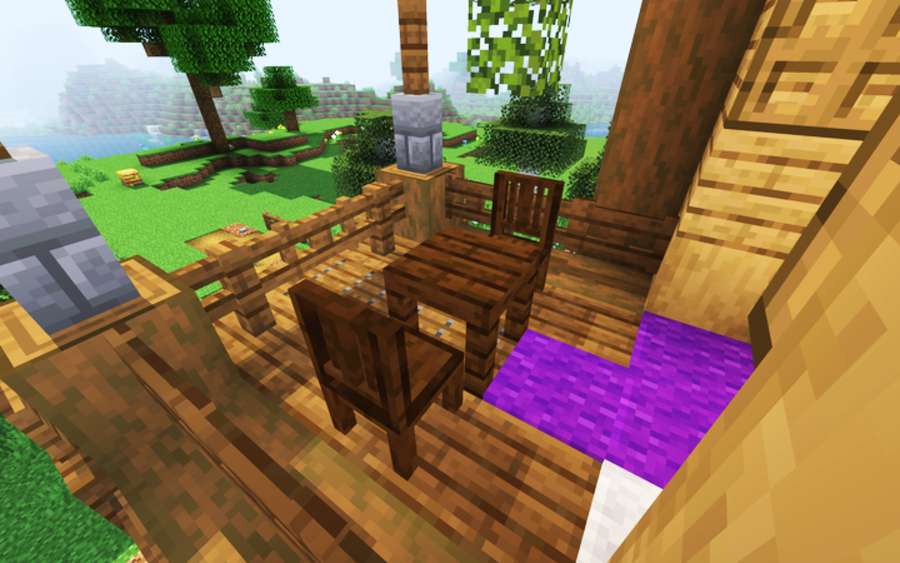
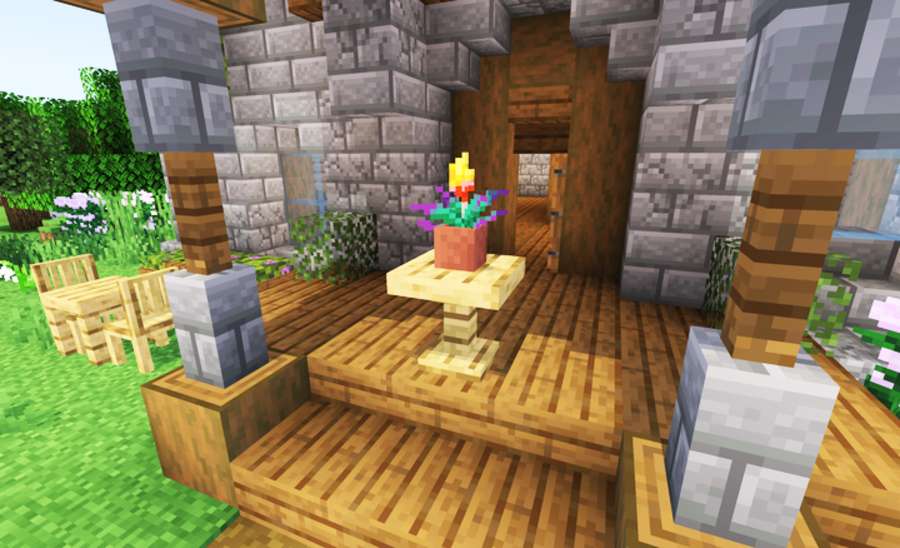
Screenshots:
This Data Pack Installation:
- Required DataPack and Resource Pack to run together or else it will not be working.
-
Download the data pack file (
.zip). -
Create and save a new Minecraft world (or select an existing one), then return to the main menu.
-
Select your world in the singleplayer menu and click Edit $\rightarrow$ Open World Folder.
-
Open the
datapacksfolder inside your world folder. -
Move the downloaded
.zipfile into thedatapacksfolder. -
Load into your world and type
/reloadin the chat to activate it.
Download Table & Chairs 2 Data Pack:
For Minecraft 26.2:
For Minecraft 1.21.11:
Disclaimer:
We provide download links shared by the original developers and take care to ensure they are safe and reliable. However, there may be times when a developer removes their links from third-party websites. In such cases, we may need your help to identify broken links so we can fix them promptly. If you come across a link that isn’t working, please let us know. We aim to update and maintain working links as quickly as possible, and our team regularly checks them to keep everything up to date. We also prioritize your safety every link is reviewed to ensure it is secure and free from viruses. Our goal is to provide genuine, trustworthy downloads for all content.


